

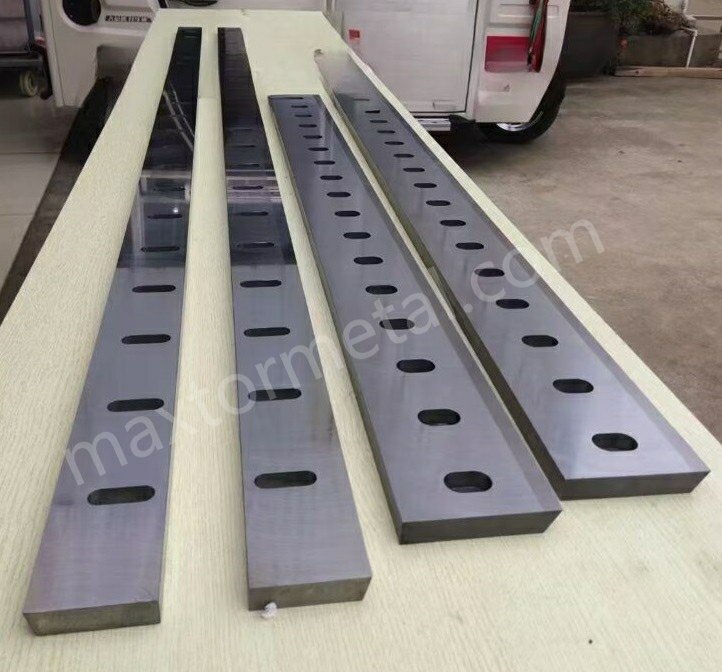
Imagine you cut a metal sheet and see rough burrs on the edge. Sometimes, you might even find chips on your cutting blade. You can stop these problems by ensuring proper 전단 블레이드 간극 조정. If you set the clearance just right, you achieve smooth cuts and fewer burrs. Your blades will also last longer and avoid damage. Many workers make mistakes like using dull blades. Some use plates that are too thick. Others set the gap unevenly. You can avoid these issues by checking if your blade is sharp. Make sure the machine matches the plate thickness. Adjust the gap carefully. High-quality blades from Metal Industrial help you get excellent results in your shop.
주요 요점
- The right shear blade clearance stops burrs and makes clean cuts. Change the gap for each material to get the best cut.
- Dull blades or wrong plate thickness make cuts look bad. Always check if blades are sharp and fit the material.
- Setting blade clearance the right way helps blades last longer. It also keeps the machine from wearing out fast. This saves money on fixing or buying new parts.
- Use the clearance percentages that experts suggest for each material. For mild steel, use 5% to 10%. For stainless steel, use 8% to 12%.
- Use feeler gauges and shims to set the blade gap exactly. These tools help you get the right setting for smooth cuts.
- Take care of your machine often. Clean it every day and look at the blades a lot. This keeps the machine working well.
- Try your settings on scrap pieces before you start the real job. This helps you find problems and get good cuts.
- Use charts from the industry to check blade clearance fast. These charts make it easier to set the blades and help you avoid mistakes.
Why Shear Blade Clearance Adjustment Matters
Cut Quality and Burr Prevention
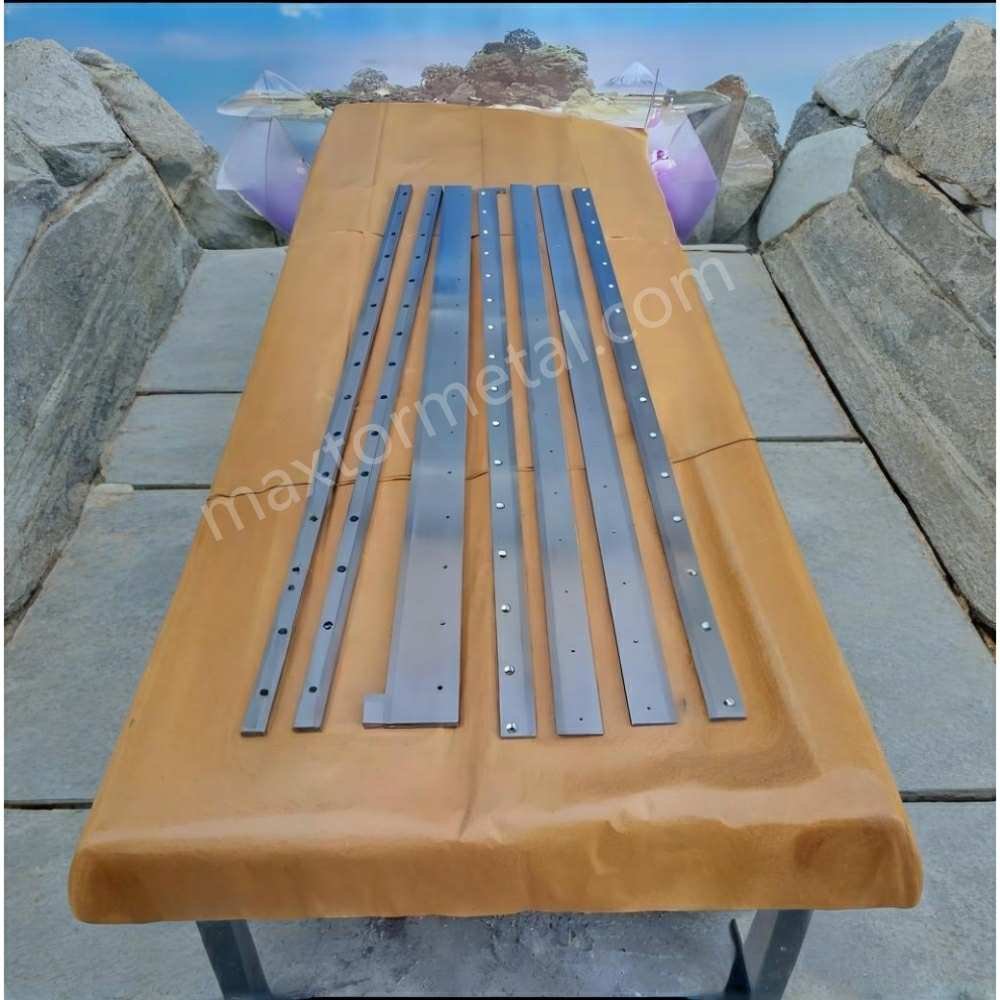
You want every cut to look clean and smooth. The gap between the cutting blades, called blade clearance, plays a big role in this. If you set the gap too wide or too narrow, you will see rough edges and burrs on your metal sheets. Burrs are sharp, unwanted pieces of metal that stick out from the edge. They can make your parts look bad and even cause safety problems. When you use the right blade clearance, you get clean edges and almost no burrs. Worn or damaged cutting blades also make burrs worse. If you cut soft metals or work at high speeds, you need to pay extra attention to your settings. Good shear blade clearance adjustment helps you avoid these problems and keeps your work looking professional.
Blade Longevity and Machine Health
You want your cutting blades to last as long as possible. If you set the blade clearance wrong, your blades will wear out faster. Too tight a gap makes the blades rub together and causes extra friction. This can lead to chips or cracks in the blades. Too wide a gap makes the blades hit the metal at the wrong angle, which can also cause damage. When your blades wear out, you need to replace them more often. This costs money and takes time. Bad settings also put stress on your shearing machine. The machine can overheat or break down, leading to expensive repairs. By adjusting the blade clearance correctly, you protect both your blades and your machine.
생산성 영향
When you set the blade clearance just right, you work faster and waste less material. Clean cuts mean you do not need to spend extra time fixing rough edges. You throw away less scrap, which saves money. Your production line moves smoothly because you do not stop for repairs or blade changes as often. The table below shows how accurate blade clearance helps your shop:
| 혜택 | 설명 |
|---|---|
| 더 깨끗한 컷 | You get high-quality cuts every time. |
| Reduced Scrap Rates | You waste less material with each cut. |
| Lower Rework Requirements | You spend less time fixing mistakes. |
| Improved Production Rates | You finish jobs faster and more efficiently. |
| Lower Operational Costs | You save money on repairs and wasted materials. |
If you use automatic systems, they can adjust the gap for you. These systems save time and help your blades last longer. They also keep your machine running smoothly. Whether you adjust by hand or use a system, always check your blade clearance for the best results.
Shear Blade Clearance Formulas
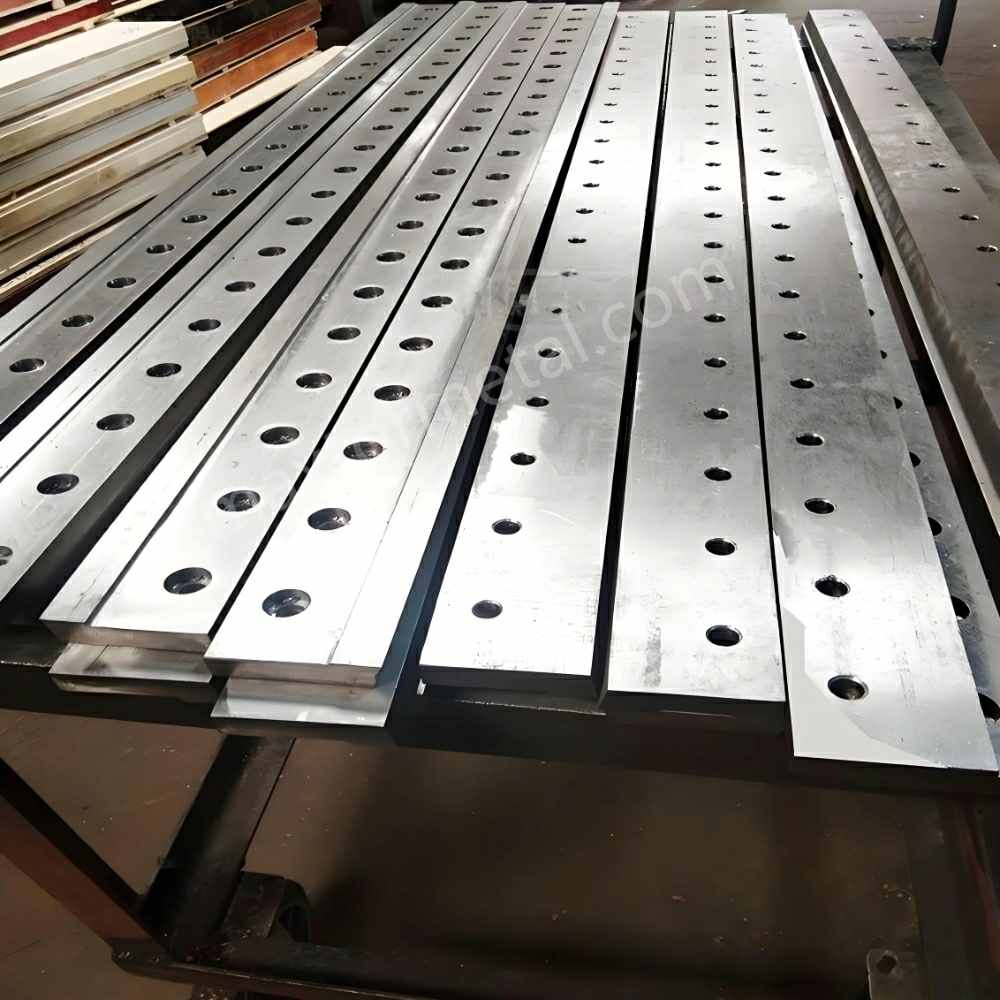
Setting the right gap between your cutting blades is important for every shearing machine. You need to use the correct formula for each material. This helps you get clean cuts and avoid burrs. You can use simple rules and charts to find the best setting for your job.
Material Thickness Percentage Rule
You can use a percentage of the material thickness to set your blade clearance. This rule works for most metals. You measure the thickness of your sheet, then multiply by a set percentage. The answer gives you the ideal gap between your blades.
Mild Steel Formula
For mild steel, you should set the clearance between 5% and 10% of the sheet thickness. If you cut a 4 mm thick mild steel plate, you multiply 4 mm by 0.07 (7%) to get a clearance of 0.28 mm. This range gives you a good balance between clean cuts and long blade life.
Stainless Steel Formula
Stainless steel is harder than mild steel. You need a wider gap to prevent blade damage. Set the clearance between 8% and 12% of the sheet thickness. For a 3 mm stainless steel sheet, multiply 3 mm by 0.10 (10%) to get a clearance of 0.3 mm. This helps your cutting blade last longer and reduces burrs.
Aluminum Formula
Aluminum is softer than steel. You can use a smaller gap. Set the clearance between 4% and 6% of the sheet thickness. For a 2 mm aluminum sheet, multiply 2 mm by 0.05 (5%) to get a clearance of 0.1 mm. This keeps your cut edge smooth.
팁: If you work with custom blades for different materials, you can find more information about 커스텀 블레이드 options.
Recommended Clearance Percentages
You can use these guidelines for most jobs:
- For mild steel, use 5% to 10% of the sheet thickness.
- For stainless steel, use 8% to 12%.
- For aluminum, use 4% to 6%.
- For high-strength steel, increase the clearance up to 16% or more.
If you cut thicker or harder materials, increase the gap. This prevents damage to your cutting blade and helps your shearing machine run smoothly.
| 재료 유형 | Recommended Clearance (%) | Example (3 mm sheet) | Clearance (mm) |
|---|---|---|---|
| 연강 | 5% – 10% | 3 x 0.07 | 0.21 |
| 스테인레스 스틸 | 8% – 12% | 3 x 0.10 | 0.30 |
| 알류미늄 | 4% – 6% | 3 x 0.05 | 0.15 |
| 고강도 강철 | 12% – 16% | 3 x 0.14 | 0.42 |
Using Industry Charts
You can also use industry charts to set your blade clearance. These charts show the best gap for each material and thickness. Many machine manuals include these tables. You can find charts online or from your blade supplier. Always check the chart before you start a new job.
- Look for the material type and thickness in the chart.
- Find the recommended clearance value.
- Set your cutting blade gap to match the chart.
If you use special materials or custom blades, ask your supplier for a chart that matches your needs. This helps you avoid mistakes and keeps your cuts clean.
메모: Charts help you set the right clearance quickly. They also help you avoid common errors in shear blade clearance adjustment.
By following these formulas and using charts, you can set your blade clearance with confidence. You will get better results and protect your cutting blade from damage.
Technical Factors in Adjusting Blade Clearance
Material Strength Effects
Impact of High-Strength Materials
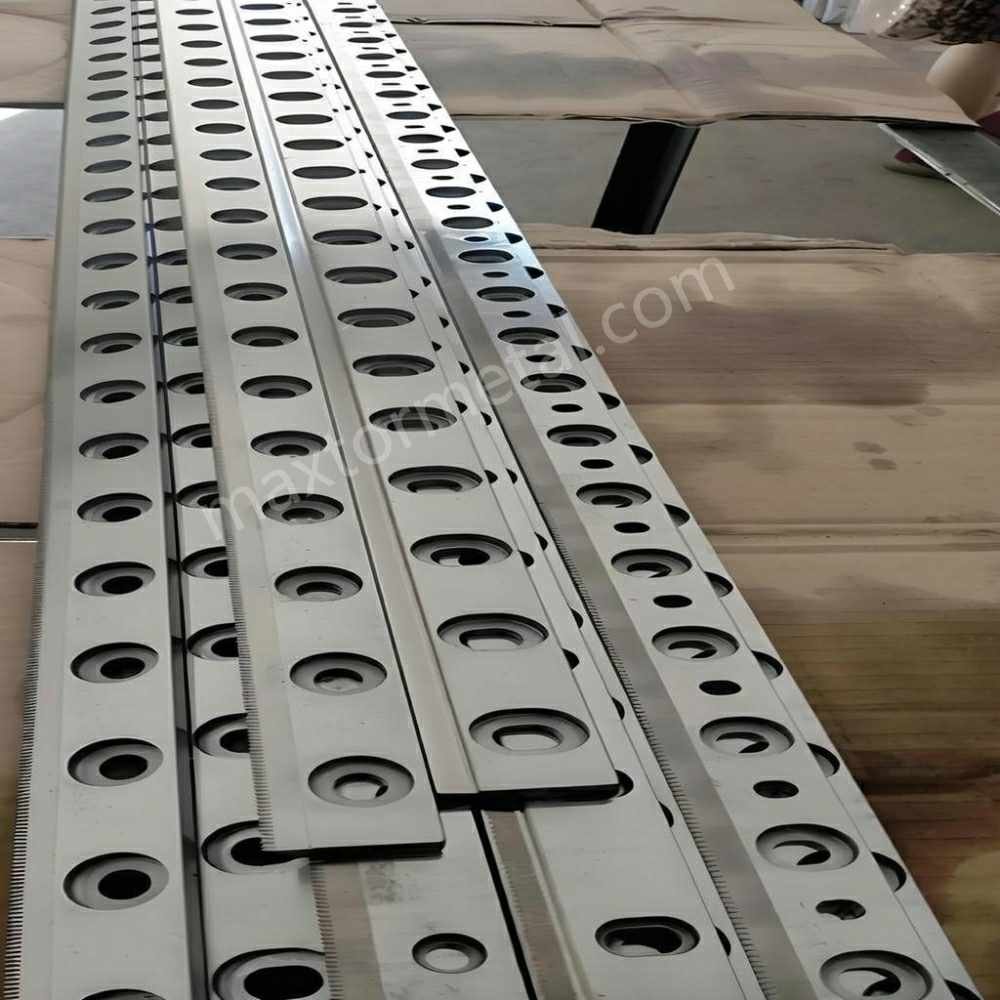
You need to be careful with high-strength metals. These metals, like stainless steel or strong alloys, are very hard. They need a bigger gap between your cutting blade edges. If the gap is too small, you can get double shearing and burrs. Your blades will wear out quickly. If the gap is too big, your cuts may not be straight. The edge might fold.
Here is a table that shows what happens with different gaps:
| Clearance Level | Effects |
|---|---|
| Too little | Double shear, burrs, rapid wear |
| Too much | Inaccurate cuts, folding |
| Minimum (for stainless steel) | Prevents burrs and work hardening |
Always check the recommended gap for high-strength metals. This helps you keep your blades safe and your cuts smooth.
Adjusting for Soft Metals
Soft metals like aluminum or copper need a smaller gap. These metals bend easily. If the gap is too big, you might see rough edges or folding. If the gap is too small, your blades can wear out faster. Use the lower end of the recommended gap for these metals. Try your settings on a scrap piece before you start your job.
Mixed Material Processing Considerations
Sometimes you cut sheets made from different metals at once. Set your blade gap for the hardest metal in the batch. If you use the gap for the softest metal, your blade can get damaged when you cut harder sheets. Check your blades for wear after cutting mixed metals. This helps you keep your cuts looking good.
Blade Rake Angle
Influence on Shearing Force
The rake angle is how much your cutting blade tilts. This angle changes how hard it is to cut the metal. A positive rake angle makes cutting easier. It lowers the force needed. A negative rake angle makes cutting harder. It can make your cuts look worse.
Here is a table that explains the effects:
| 경사각 유형 | 전단력에 미치는 영향 | 절단 품질에 미치는 영향 |
|---|---|---|
| 긍정적인 레이크 | Reduces shearing force | Improves cut quality |
| 네거티브 레이크 | Increases shearing force | May decrease cut quality |
Pick a rake angle that fits your metal and machine. A sharper rake angle needs less force but can wear out your blade faster.
Effects on Edge Quality
The rake angle also changes how the edge looks. A sharper rake angle gives a cleaner edge. Positive rake angles make the cutting face sharper. This makes your finished part look better. Negative rake angles make the blade stronger but can leave a rough edge. You should balance edge quality and blade life when you set the rake angle.
팁: Use a positive rake angle for a smooth edge. Use a negative rake angle for more blade strength.
Adjusting Rake Angle for Different Materials
Change the rake angle for each metal you cut. For soft metals, use a sharper positive rake angle. For hard or thick metals, use a less sharp angle to protect your blade. Always check your machine manual for the best rake angle. Test your settings on a sample piece to find the best mix of force and edge quality.
Machine Design Considerations
Fixed vs. Adjustable Blade Holders
Your machine design changes how you set blade clearance. Machines with adjustable blade holders let you move the cutting blade more exactly. This helps you keep your cuts even and your blades lasting longer. Fixed blade holders do not let you adjust much. This can cause more blade wear or uneven cuts.
Here is a table that compares the two types:
| 특징 | Adjustable Blade Holders | Fixed Blade Holders |
|---|---|---|
| Precision Adjustment | Allows fine-tuning of blade position | Limited adjustment capabilities |
| 절단 품질 | Maintains consistent cutting quality | Potential for variations |
| Wear Minimization | Reduces wear through precise alignment | May lead to increased wear |
| 적용 분야 | Ideal for industries needing accuracy | Less suitable for precision tasks |
| Adjustment Mechanism | Precision screws or micrometer dials | 해당 없음 |
For the best results, use machines with adjustable blade holders.
Hydraulic vs. Mechanical Shears
Hydraulic shears use fluid power to move the blade. These machines work smoothly and keep the force steady. Mechanical shears use gears and levers. They can cut faster but are harder to adjust for exact cuts. Pick the type that fits your work. Hydraulic shears make it easier to keep the blade gap right.
Alignment and Parallelism
Keep your cutting blade edges lined up and parallel. Bad alignment causes uneven cuts and wears out your blades. Use feeler gauges or dial indicators to check alignment. Tighten all fasteners as your machine manual says. Test with sample cuts to make sure your blades are parallel. Check often to avoid problems and keep your machine working well.
메모: Always match your blade clearance to the metal and your machine. This helps you avoid mistakes and keeps your cutting blade working its best.
Special Materials
고강도 강철
You face unique challenges when you cut high-strength steel. This material is tough and can wear out your cutting blade quickly. You must set the blade clearance with care. For a 1 mm thick steel sheet, you should use a gap between 0.05 and 0.1 mm. This range helps you avoid blade damage and keeps your cuts clean. Always check the thickness and properties of your steel before you adjust the gap. You need to keep the upper and lower blades parallel. If you do not, you may see uneven cuts or poor edge quality.
팁: Use a feeler gauge to measure the gap. Test your settings on a scrap piece before you start your main job.
Here is a quick reference table for high-strength steel:
| Steel Thickness (mm) | Recommended Blade Clearance (mm) |
|---|---|
| 1.0 | 0.05 – 0.10 |
| 2.0 | 0.10 – 0.20 |
| 3.0 | 0.15 – 0.30 |
Laminated or Composite Materials
Laminated and composite materials combine layers of different substances. You might work with sheets that have metal and plastic together. These materials can split or fray if you do not set the blade gap correctly. You should start with a slightly wider gap than you use for solid metals. This helps you avoid crushing or delaminating the layers.
- Check the thickness of the entire sheet, not just one layer.
- Use trial cuts to find the best blade clearance.
- Watch for signs of splitting or rough edges after each cut.
- Adjust the gap if you see problems.
You must keep your cutting blade sharp. Dull blades can tear the layers and ruin your work.
Non-Metallic Materials (e.g., Plastics, Rubber)
You may need to cut non-metallic materials like plastics or rubber. These materials behave differently than metals. Plastics can melt or chip. Rubber can stretch or deform. You should use a smaller blade gap for these materials. Start with the lowest recommended setting and adjust as needed.
- Use a sharp cutting blade to get a clean edge.
- Test your settings on a sample piece.
- Watch for melting, chipping, or rough edges.
- Adjust the blade clearance until you see smooth cuts.
메모: Non-metallic materials may require more trial and error. You should always check the results and make small changes to your settings.
You must match your blade clearance to the material and your machine. This helps you avoid mistakes and keeps your cutting blade working well.
Manually Adjusting Blade Clearance
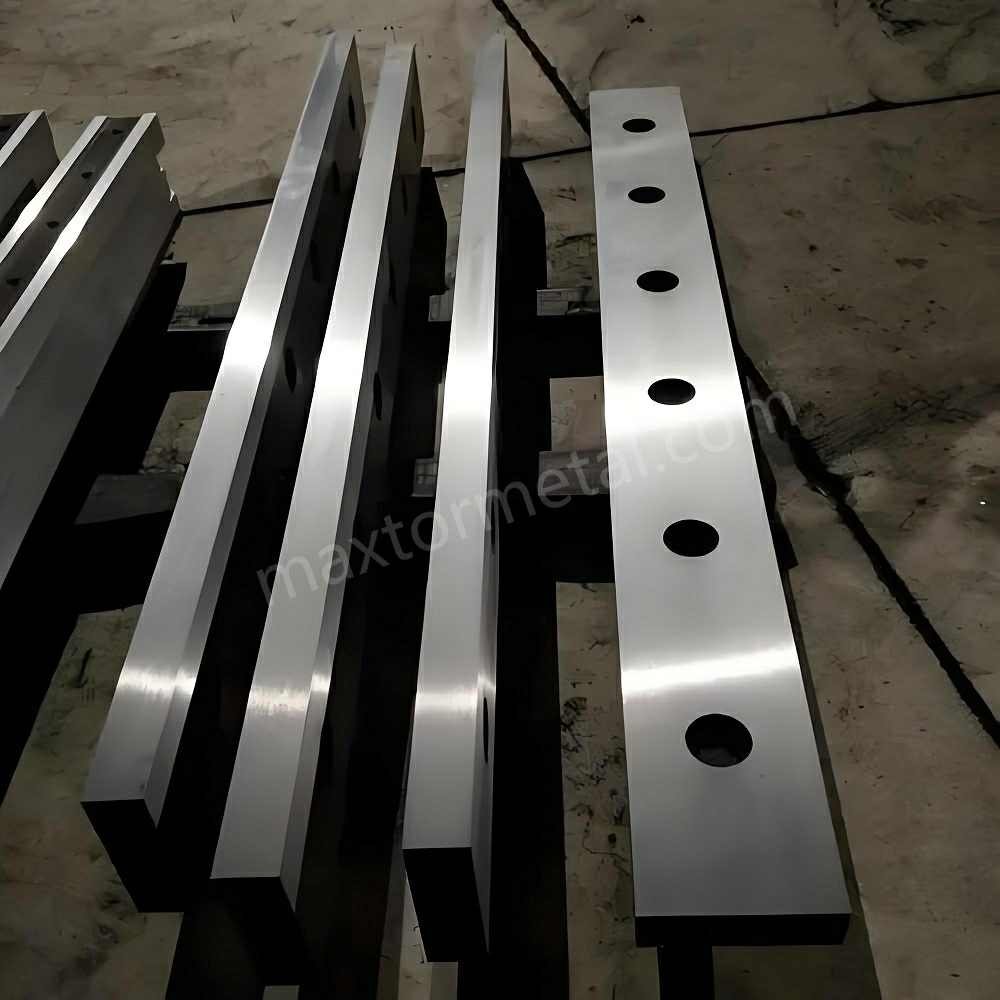
When you want to achieve clean, burr-free cuts, you need to set your blade gap with care. Manually adjusting blade clearance gives you control over the process. You can use simple tools to measure and fine-tune the gap. This section explains the tools you need and guides you through each step.
Tools for Adjustment
You need the right tools to set the gap between your blades. These tools help you measure, adjust, and check the clearance for accuracy.
필러 게이지
Feeler gauges are thin metal strips with marked thicknesses. You use them to measure the gap between the upper and lower blades. Slide the gauge into the space and feel for slight resistance. If the gauge fits snugly, you have the right clearance. Feeler gauges come in sets, so you can pick the exact size you need for your material.
심 (Shim)
Shims are thin pieces of metal or plastic. You place them between the blade and the holder to adjust the position. Shims help you make small changes to the gap. You can stack shims to reach the perfect setting. Always use clean, flat shims for the best results.
다이얼 인디케이터
Dial indicators measure small movements with high accuracy. You attach the dial indicator to the machine frame. Move the blade and watch the dial. The needle shows you how much the blade moves. This tool helps you check if the blades are parallel and if the gap is even across the whole length.
단계별 조정 과정
Follow these steps to set your blade clearance by hand. You will get the best results if you work slowly and check your progress at each stage.
- Turn off the machine and lock it out for safety.
- Remove the lower blade and clean it piece by piece. Dirt or metal chips can affect your measurements.
- Install the lower blade tightly. Check its straightness in both horizontal and vertical directions.
- Adjust the gap by moving the lower blade. The upper blade usually stays fixed.
- Locate the left and right adjusting bolts on the lower blade. Turn these bolts to increase or decrease the clearance.
- Find the set screws on both sides of the lower blade. Use these to narrow the gap if needed. Remember to loosen the backup nuts first.
- Loosen the four bolts on the lower blade table. This lets you move the blade for fine adjustments.
- Lower the upper blade by hand until it is close to the lower blade. Start your adjustment from the blanking area.
- Use a feeler gauge to set the gap to your target value (for example, 0.5 mm) on the left side.
- Move the blade to the middle position. Check and adjust the gap again.
- Repeat the process on the right side. Make sure the gap is even across the whole blade.
- Fine-tune the position with the feeler gauge until you reach the correct clearance.
팁: Always test your settings on a scrap piece before starting your main job. This helps you avoid mistakes and ensures your cutting blade gives a clean edge.
Locking and Testing the Setting
After you finish adjusting, you need to lock everything in place and check your work. This step makes sure your settings stay accurate during cutting.
- Tighten all the bolts and backup nuts on the lower blade and table.
- Double-check the gap with your feeler gauge at several points along the blade.
- Run the upper blade down slowly by hand. Watch for any spots where the blades touch or the gap changes.
- Use a dial indicator to check that the blades stay parallel from end to end.
- Make a test cut with your cutting blade on a sample sheet. Inspect the edge for burrs or roughness.
- If you see problems, repeat the adjustment steps until you get a smooth, clean cut.
메모: Metal Industrial’s Shear Blades are designed for precise adjustment. Their quality helps you achieve accurate settings and consistent results.
By following these steps, you can master manually adjusting blade clearance. You will protect your blades, improve your cut quality, and keep your machine running smoothly.
유지 관리 팁
You want your shear blade clearance to stay accurate for every job. Good maintenance helps you get clean cuts and keeps your machine running well. Follow these tips to protect your cutting blade and make sure your equipment lasts longer:
- Clean Daily
Wipe down your machine every day. Remove dust, metal shavings, and debris from the blade area. Dirt can build up and affect the gap between your blades. Clean surfaces help you keep the clearance precise. - Inspect the Blades Often
Look at your cutting blade before each shift. Check for dull edges, chips, or signs of misalignment. If you see any damage, replace or regrind the blade right away. Sharp blades give you the best results and help prevent burrs. - Check the Hydraulic System
If your machine uses hydraulics, look at the oil level once a week. Low or dirty oil can cause the system to overheat. Change the oil as needed to keep everything working smoothly. - Tighten Bolts and Fasteners
Loose bolts can make the blades shift during cutting. Use a wrench to check and tighten all fasteners regularly. Secure parts help you keep the blade gap even and safe.
팁: Keep a maintenance log. Write down each cleaning, inspection, and adjustment. This record helps you spot problems early and keeps your machine in top shape.
A good maintenance routine protects your cutting blade and helps you achieve the right shear blade clearance adjustment every time. You will see fewer burrs, smoother edges, and longer machine life.
Troubleshooting and Adjusting Blade Clearance

Excessive Burrs
주요 원인
You might see burrs on your cut edges. Burrs show up when something is wrong during shearing. Here are some reasons why this happens:
- Dull knives can crush or tear the material, not slice it cleanly.
- If the clearance between the blades and workpiece is too small, the material gets pushed instead of cut, making burrs.
- The wrong cutting speed or feed rate can make more shear force and bigger burrs.
- Not enough lubrication or cooling makes more friction, so burrs are more likely.
- Stress from the machine or heat during cutting can cause tearing and rough spots.
If you see burrs, check these things first.
Detection Methods
You can find burrs and their causes with easy checks:
- Look at the cut edges for raised or rough spots.
- Run your fingernail along the edge. If it feels sharp or jagged, there are burrs.
- Compare burr size and shape on different materials and settings.
- Check the cut edge for tearing or a saw-like look.
Checking often helps you find problems early and keep cuts smooth.
솔루션
You can fix too many burrs by doing these steps:
- Change the blade clearance to the right percentage for your material. Use charts or formulas to help.
- Replace or sharpen dull or damaged blades. Sharp blades cut better and make fewer burrs.
- 상부 및 하부 칼날이 정확히 정렬되고 올바르게 맞물리는지 확인하십시오.
- 작업 소재에 맞는 적절한 절단 속도와 이송 속도를 설정하십시오.
- 절단 시 마찰을 줄이기 위해 충분한 윤활 및 냉각을 실시하십시오.
팁: 본작업 전에는 항상 스크랩 소재에 테스트 절단을 진행하십시오. 이를 통해 버(Burr) 없이 매끄러운 단면을 얻을 수 있습니다.
칼날 치핑 및 마모
칼날의 치핑과 마모는 절단 날의 수명을 단축시키고 절단면 품질을 저하시킵니다. 이러한 현상의 징후를 주시하고 원인을 파악하십시오.
| 문제 | 설명 |
|---|---|
| 과도한 칼날 간격(Clearance) | 칼날 간격이 지나치게 크면 금속 소재가 밀리면서 절단면이 기울어지거나 거칠어집니다. |
| 부적절한 칼날 장착 | 칼날이 올바르게 장착되지 않으면 불균일한 응력으로 인해 치핑이 발생할 수 있습니다. |
| 부적합한 칼날 간격 | 간격이 너무 좁거나 넓으면 마찰이 증가하여 칼날 손상을 유발합니다. |
칼날에 치핑, 균열 또는 편마모가 있는지 정기적으로 점검하십시오. 손상이 발견되면 칼날 간격 오류나 과도한 절단력을 확인해야 합니다. 작업 조건에 적합한 칼날 재질을 사용하고 있는지 확인하십시오. 필요 시 칼날을 교체하거나 재연마하고, 추가적인 문제를 방지하기 위해 항상 칼날 간격을 올바르게 설정하십시오.
계산 공식 오류
칼날 간격 계산 공식의 오류는 절단 불량과 장비 손상을 야기합니다. 흔히 발생하는 실수와 예방법은 다음과 같습니다.
- 칼날 간격이 너무 좁으면 마찰력이 증가하여 칼날이나 가공재가 휘어질 수 있습니다.
- 간격이 너무 넓으면 절단면이 거칠어지고 절단 부하가 불균일해집니다.
- 칼날 정렬이 맞지 않으면 칼날이 파손되어 안전 사고를 유발할 수 있습니다.
- 간격이 지나치게 넓으면 소재가 끼여 장비가 정지할 수 있습니다.
- 공식을 적용하기 전에는 항상 소재의 두께와 재질을 확인하십시오.
- 업계 표준 수치표를 참조하고 수치를 재검증하십시오.
- 두께 1.0 mm의 연강(Mild Steel)의 경우 칼날 간격을 0.05 mm ~ 0.1 mm로 설정하며, 소재 종류에 따라 수치를 조정하십시오.
- 절단 결과가 일관되지 않은 경우 장비 매뉴얼을 참조하거나 제조사에 문의하십시오.
- 본작업을 시작하기 전에 반드시 스크랩 소재로 설정값을 테스트하십시오.
메모: 정확한 계산과 테스트 절단을 통해 공식 오류를 방지하고 장비의 최적 성능을 유지할 수 있습니다.
장비 정렬 문제
전단기에서 우수한 절단 품질을 얻으려면 장비의 정렬 상태를 완벽하게 유지해야 합니다. 장비 정렬이 맞지 않으면 절단면이 톱니처럼 거칠어지거나 기울어질 수 있습니다. 이러한 문제는 칼날이 직선을 이루지 않거나 홀더가 느슨할 때 발생합니다. 정렬이 맞지 않으면 베어링 마찰이 증가합니다. 이는 부품의 마모를 가속화하고 전력 소모를 늘립니다. 이러한 문제를 방치하면 장비의 조기 파손으로 이어질 수 있습니다.
절단면의 상태를 확인하여 정렬 문제를 진단할 수 있습니다. 절단면이 불균일하거나 거칠다면 칼날 홀더와 가이드를 점검하십시오. 틈새 측정기(Feeler gauge)나 다이얼 게이지를 사용하여 간격을 측정하고 칼날의 직선도를 확인하십시오. 모든 볼트와 체결품은 매뉴얼에 지정된 규정 토크대로 조여주어야 하며, 느슨해진 부품이 있다면 즉시 조치하십시오.
장비 정렬 문제를 진단하고 교정하는 단계는 다음과 같습니다.
- 칼날 홀더와 가이드의 느슨함이나 정렬 어긋남 여부를 점검합니다.
- 틈새 측정기나 다이얼 게이지를 사용하여 칼날 전장에 걸쳐 직선도를 확인합니다.
- 제조사의 지침에 따라 모든 볼트와 체결품을 체결합니다.
- 테스트 절단을 실시하여 절단 단면이 매끄러운지 확인합니다.
- 문제가 지속될 경우 정렬 상태를 재점검하고 교정합니다.
팁: 새로운 작업을 시작하기 전에는 항상 장비 정렬 상태를 점검하십시오. 이를 통해 적정 칼날 간격을 유지하고 칼날 성능을 최상으로 유지할 수 있습니다.
Troubleshooting Checklist
점검 항목(체크리스트)을 활용하면 전단기 트러블을 신속하게 진단하고 조치할 수 있습니다. 절단 작업 시작 전 다음 항목들을 확인하십시오.
- 절단 단면에 버(Burr)가 발생합니까?
- 칼날에 치핑, 균열 또는 심한 마모가 있습니까?
- 소재에 적합한 칼날 간격 계산 공식을 적용했습니까?
- 칼날이 곧고 바르게 정렬되어 있습니까?
- 전단기의 정기 점검 및 유지보수를 실시했습니까?
- 판재 두께에 맞게 칼날 간격을 설정했습니까?
- 칼날의 날끝 상태가 날카롭고 손상이 없는지 확인했습니까?
- 간격 측정 게이지를 사용하여 칼날 갭을 측정하고 설정했습니까?
- 모든 볼트와 체결품이 견고하게 조여져 있습니까?
- 칼날을 설정하고 간격을 균일하게 맞추기 위해 전용 공구를 사용했습니까?
어느 하나라도 “아니오”에 해당한다면 작업을 중단하고 즉시 조치하십시오. 본 체크리스트는 장비 안전성을 확보하고 매끄러운 절단면을 유지하는 데 도움이 됩니다.
메모: 주기적인 점검과 예방 조치는 설비 고장을 방지하고 작업 현장의 생산성을 유지해 줍니다.
Achieving Zero-Burr Results
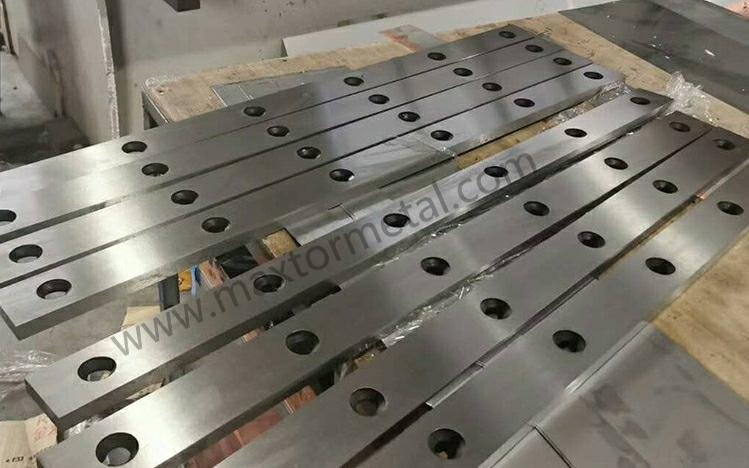
소재별 미세 조절
소재별로 설정을 변경하면 버(Burr) 없는 절단 결과를 얻을 수 있습니다. 금속 또는 비금속 판재는 절단 시 종류마다 다른 특성을 보입니다. 먼저 절단할 소재의 두께와 경도를 확인하십시오. 소재 종류에 맞는 적절한 클리어런스(간극) 비율을 적용해야 합니다. 알루미늄과 같이 연성이 높은 연질 금속은 클리어런스를 작게 설정해야 하며, 스테인리스강과 같이 강도가 높은 경질 금속은 클리어런스를 크게 설정해야 합니다. 본 작업을 시작하기 전에 항상 시편(스크랩)으로 설정을 테스트하십시오. 버나 절단면 거칠음이 발생하면 클리어런스를 미세하게 조절한 후 다시 시도하십시오. 특수 소재의 경우 전단각(Rake angle)을 변경하거나 날의 위치를 조정해야 할 수도 있습니다. 소재별 최적 설정치를 기록해 두면 향후 작업 준비 시간을 단축할 수 있습니다.
팁: 새로운 소재를 사용할 때는 항상 샤링날 클리어런스(간극) 조절 값을 재설정하십시오. 이는 작업 오류를 방지하고 매끄러운 절단면을 유지해 줍니다.
시각 검사
전단 작업 완료 후에는 항상 절단 단면을 점검해야 합니다. 돌출된 금속이나 거친 부위 없이 매끄럽고 광택이 나는 절단면인지 확인하십시오. 버(Burr)는 절단 가장자리에 얇고 날카롭게 튀어나온 형태로 나타납니다. 절단 단면을 손가락이나 천으로 문질러 거칠게 느껴진다면 설정을 조절해야 합니다. 여러 절단면을 비교하여 일관된 품질이 유지되는지 확인하십시오. 모든 절단면의 상태가 동일하다면 장비 설정이 올바르게 완료된 것입니다. 절단면 상태에 변화가 보인다면 날의 정렬 상태와 클리어런스를 점검하십시오. 육안 점검을 실시하면 문제를 초기에 발견하여 재작업을 방지할 수 있습니다.
| 점검 단계 | 무엇을 찾아야 할까 | 다음 단계는 무엇일까요? |
|---|---|---|
| Edge Appearance | 매끄럽고 광택이 나며 버(Burr) 없음 | 생산 계속 |
| 촉감 테스트 | 날카로움이나 거칠음 없음 | 클리어런스 조절 |
| 일관성 | 모든 절단면의 일관된 품질 | 정렬 확인 |
유지보수 모범 사례
장비와 날을 올바르게 관리해야 우수한 성능을 유지할 수 있습니다. 매 작업 시 버(Burr) 없는 결과를 얻기 위해 다음 절차를 준수하십시오.
- 분진과 금속 칩을 제거하기 위해 매일 장비를 청소하십시오.
- 날의 마모 상태나 정렬 불량 여부를 정기적으로 점검하십시오.
- 유압식 장비인 경우 매주 유압유 유량을 점검하십시오.
- 절단 중 유격이 발생하지 않도록 볼트 및 체결 부품을 정기적으로 조여 주십시오.
- 전용 공구를 사용하여 날을 재연마하되, 연삭량이 과도하지 않도록 주의하십시오.
- 작업 전마다 절단 클리어런스 및 정렬 상태를 점검하고 설정하십시오.
- 마모된 부품은 이상 발견 즉시 교체하십시오.
- 날이 손상되지 않도록 취급 및 보관에 유의하십시오.
정기적인 유지보수는 절단 날의 예리함과 장비의 성능을 유지해 줍니다. 이를 통해 버 발생을 줄이고 우수한 절단 품질을 확보할 수 있습니다.
Quick-Reference Table
샤링날 클리어런스는 빠르고 정확하게 설정해야 합니다. 빠른 참조표(Quick-reference table)를 활용하면 소재 및 두께별 적정 간극을 손쉽게 확인할 수 있습니다. 절단 작업 전 이 참조표를 활용하면 작업 시간을 단축하고 세팅 오류를 방지할 수 있습니다.
아래 표는 주요 소재별 권장 클리어런스 비율 및 다양한 판재 두께에 대한 적용 예시를 나타냅니다. 절단 날 세팅 시 이 표를 가이드로 활용하십시오.
| 재료 유형 | Recommended Clearance (%) | 1 mm 판재 (mm) | 2 mm 판재 (mm) | 3 mm 판재 (mm) | 노트 |
|---|---|---|---|---|---|
| 연강 | 5% – 10% | 0.05 – 0.10 | 0.10 – 0.20 | 0.15 – 0.30 | 박판의 경우 하한값 적용 |
| 스테인레스 스틸 | 8% – 12% | 0.08 – 0.12 | 0.16 – 0.24 | 0.24 – 0.36 | 경질 소재의 경우 비율 증가 |
| 알류미늄 | 4% – 6% | 0.04 – 0.06 | 0.08 – 0.12 | 0.12 – 0.18 | 연질 금속의 경우 더 작은 간극 적용 |
| 고강도 강철 | 12% – 16% | 0.12 – 0.16 | 0.24 – 0.32 | 0.36 – 0.48 | 절단 전 시편(스크랩) 테스트 실시 |
| 플라스틱/고무 | 2% – 4% | 0.02 – 0.04 | 0.04 – 0.08 | 0.06 – 0.12 | 최소 간극부터 시작 |
| 적층재/복합소재 | 10% – 14% | 0.10 – 0.14 | 0.20 – 0.28 | 0.30 – 0.42 | 층간 분리(Splitting) 주의 |
팁: 클리어런스를 설정하기 전에 항상 소재의 두께를 측정하십시오. 새로운 소재를 사용할 때는 먼저 시편(스크랩)에 테스트 절단을 수행하십시오.
참조표 사용 방법은 다음과 같습니다.
- 첫 번째 열에서 해당하는 소재 유형을 찾습니다.
- 작업할 판재의 두께를 확인합니다.
- 권장 클리어런스 비율을 확인합니다.
- 판재 두께에 해당 비율을 곱하여 간극(gap) 값을 계산합니다.
- 틈새 측정기(Feeler gauge) 또는 심(Shim)을 사용하여 샤링날 클리어런스를 조절합니다.
절단 후 버(Burr)나 거친 절단면이 발생하면 간극을 미세하게 재조정 후 다시 시도하십시오. 특수 소재나 후판의 경우 클리어런스 변경이 필요할 수 있습니다. 항상 육안 점검으로 결과를 확인하십시오.
이 표를 인쇄하여 장비 주변에 비치하면 보다 빠른 세팅과 작업 오류 방지에 도움이 됩니다.
Common Mistakes to Avoid:
- 경질 금속에 대해 간극을 너무 작게 설정하는 행위 (절단 날 손상 원인).
- 모든 소재에 동일한 클리어런스를 적용하는 행위 (소재별 전용 설정 필요).
- 절단 전 날 정렬 상태 점검을 누락하는 행위.
- 대량 작업 전 시편 테스트를 거치지 않는 행위.
샤링날 클리어런스를 조절할 때마다 이 빠른 참조표를 활용하십시오. 매끄러운 절단면과 버(Burr) 없는 우수한 결과를 얻을 수 있습니다.
샤링날 클리어런스 조절 절차는 다음과 같습니다. 먼저 날의 고정 스크루를 풉니다. 다음으로 틈새 측정기(Feeler gauge)를 사용하여 좌측, 중앙, 우측의 간극을 측정합니다. 전 구간에 걸쳐 간극이 일정한지 확인하십시오. 균일하지 않은 경우 정밀하게 미세 조절하여 균일한 상태를 만듭니다.
날 클리어런스를 수동으로 정기 점검하십시오. 이는 매끄러운 절단 품질을 확보하고 장비의 우수한 성능을 유지하는 데 도움을 줍니다. Metal Industrial 제품과 같은 고품질 날은 긴 수명과 정밀한 절단 성능을 제공합니다.
| 이점 | 설명 |
|---|---|
| Superior Material Selection | Blades built for hard work and long use. |
| Optimized Geometry | Special edge shape for easy, clean cutting. |
Need help? 당사 영업 엔지니어에게 문의하세요 for advice on your project.
자주 묻는 질문
What is shear blade clearance adjustment?
Shear blade clearance adjustment means setting the space between the top and bottom blades on your shear machine. You do this to make sure your cuts are smooth and to stop burrs from forming on metal sheets.
How often should you check blade clearance?
Check blade clearance before every job you do. If you switch materials or see burrs, check and fix the gap right away.
Why do burrs appear after cutting?
Burrs show up if the blade clearance is too tight or too wide. Dull blades and blades that are not lined up also make burrs. You can fix this by changing the gap and sharpening the blades.
What tools help you set blade clearance?
You use feeler gauges, shims, and dial indicators to measure and set the gap. These tools help you get the right shear blade clearance adjustment.
Can you use the same clearance for all materials?
No, you cannot use the same gap for every material. Softer metals need a smaller space. Harder metals need a bigger space. Always check the right percentage for your material.
How do you know if the blades are aligned?
You check blade alignment with a feeler gauge or a dial indicator. Make a test cut and look at the edge. If the cut is smooth and even, your blades are lined up.
What happens if you ignore regular maintenance?
If you skip maintenance, blades wear out faster. You will see more burrs and rough edges. Your machine might break down. Taking care of your machine keeps your shear blade clearance adjustment correct.
Is it safe to adjust blade clearance yourself?
Yes, you can adjust blade clearance by yourself. Always turn off the machine first. Use the right tools and follow safety rules. Test your settings on scrap metal before you start your main job.
또한 참조
정밀 길로틴 전단 블레이드를 이용한 무버(Zero-Burr) 절단 달성
D2 전단 블레이드: D2 강철이 냉간 금속 절단의 왕인 이유
길로틴(Guillotine) 블레이드 대 전단(Shear) 블레이드: 차이점은 무엇이며 귀하의 작업에 가장 적합한 것은 무엇입니까?

 English
  Spanish
  Italian
  French
  Portuguese
  Russian
  German
  Arabic
  Hindi
Hindi  Vietnamese
  Indonesian
  Japanese
  Korean
4 응답
I couldn’t resist commenting. Well written!
감사합니다!