

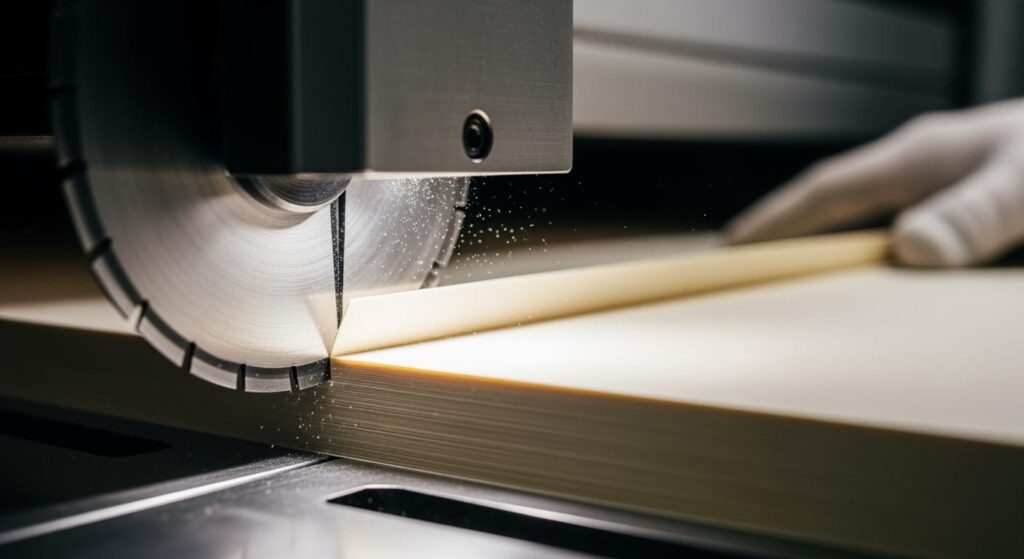
Você precisa de cortes limpos ao trabalhar com papel em fábricas. O Lâmina de corte rotativa para papel é muito importante. Ajuda a fazer com que cada folha tenha uma aparência limpa e excelente. A lâmina que você escolhe, como você configura a máquina e como cuida de suas ferramentas, tudo isso importa. Prestar atenção a esses detalhes ajuda a obter os melhores cortes sempre.
Principais conclusões
- Escolha o melhor material de lâmina para o seu papel. O aço rápido corta rápido. O carboneto de tungstênio funciona bem para papéis ásperos ou revestidos.
- Escolha o tipo de lâmina correto. Lâminas de gume de camada única são boas para papéis finos. Lâminas de gume de camada dupla ajudam com papéis grossos.
- Certifique-se de que o papel e a máquina estejam alinhados corretamente. Um bom alinhamento evita bordas ásperas e economiza papel.
- Ajuste a pressão e a velocidade da lâmina para cada tipo de papel. Vá mais devagar com papéis grossos para evitar rasgos.
- Limpe e inspecione suas lâminas frequentemente. Isso mantém os cortes limpos e faz com que as lâminas durem mais.
- Monitore o corte de perto. Procure por desgaste da lâmina ou desalinhamento para corrigir os problemas rapidamente.
- Use o melhor método de alimentação para o seu trabalho. A alimentação manual é boa para pequenos trabalhos. A alimentação automática é melhor para grandes volumes.
- Considere lâminas personalizadas para papéis especiais. Lâminas personalizadas podem funcionar melhor e proporcionar os melhores cortes para necessidades específicas.
Seleção de Lâmina para Lâminas de Corte Longitudinal Rotativas para Papel

Escolher a lâmina de corte longitudinal rotativa correta para papel é o primeiro passo para obter cortes limpos. Você deve considerar de que material a lâmina é feita, qual é o tipo de lâmina e que tipo de papel deseja cortar. Nanjing Metal As Lâminas de Corte Longitudinal para Máquinas de Corte da Metal Industrial oferecem muitas opções para o seu trabalho com papel.
Materiais da lâmina
Você pode escolher entre diferentes materiais para sua lâmina de corte longitudinal rotativa para papel. Cada um é adequado para determinados trabalhos:
- Aço de alta velocidade
As lâminas de aço rápido permanecem afiadas mesmo em cortes rápidos. Elas duram mais, permitindo cortar mais papel antes de trocar a lâmina. - Carboneto de tungstênio
As lâminas de carboneto de tungstênio são extremamente duras e resistentes. Use estas lâminas para papéis ásperos ou revestidos. Elas mantêm o gume por muito tempo, mesmo em trabalhos pesados. - Aço de alto carbono
As lâminas de aço de alto carbono são afiadas e têm menor custo. São boas para papel comum e trabalhos normais. Você obtém bons resultados sem gastar muito. - Aço ferramenta
As lâminas de aço ferramenta são robustas e mantêm bem o gume. Você pode usá-las para muitos tipos de papel e diferentes trabalhos de corte. Por exemplo, o aço ferramenta D2 é excelente para cortar plástico, papel laminado e papéis ásperos devido à sua alta durabilidade. O aço M2 não superaquece e funciona bem para cortes rápidos em papéis mais macios.
Dica: O material da lâmina escolhido altera a vida útil da sua lâmina de corte longitudinal rotativa para papel e a qualidade do corte. As lâminas de carboneto de tungstênio são melhores para papéis ásperos ou revestidos. O aço de alto carbono é bom para papéis comuns e mais macios.
Tipos de lâmina
Você também precisa escolher o tipo de lâmina correto para sua lâmina de corte longitudinal rotativa para papel. O tipo de lâmina altera a forma como o papel é cortado e a suavidade da borda.
| Tipo de lâmina | Descrição | Melhor para |
|---|---|---|
| Borda de camada única | Um gume de corte, design simples | Papéis padrão e finos |
| Borda de camada dupla | Duas camadas de corte para estabilidade e precisão extras | Papéis mais grossos ou de múltiplas camadas |
- Borda de camada única
As lâminas de gume de camada única são melhores para cortar papéis comuns e finos. Elas proporcionam um corte limpo e ajudam a evitar rasgos. - Borda de camada dupla
As lâminas de gume de camada dupla são feitas para papéis grossos ou laminados. Essas lâminas são mais estáveis e ajudam a evitar que as bordas fiquem irregulares. Você também pode escolher diferentes perfis de gume para se adequar ao seu papel e às suas necessidades de corte.
Existem outros tipos de lâminas, como facas de disco sólido, facas com pastilhas intercambiáveis e facas de corte por cisalhamento. Cada uma é ideal para certas espessuras de papel e métodos de corte. Se precisar de algo especial, consulte o página de lâminas personalizadas Para mais opções.
Compatibilidade com Papel
É importante adequar sua lâmina de corte longitudinal rotativa para papel ao tipo de papel que você utiliza. Aqui estão algumas dicas:
- Papel Fino
Use lâminas de gume de camada única ou lâminas tipo gilete para papéis finos. Essas lâminas realizam cortes precisos e ajudam a evitar rasgos. - Papel revestido
Papéis revestidos são mais abrasivos. Lâminas de carboneto de tungstênio e perfis de gume especiais funcionam melhor. Eles ajudam a manter o gume afiado e a garantir bons cortes. - Papel Especial
Papéis especiais podem exigir materiais de lâmina ou perfis de gume personalizados. A Nanjing Metal Industrial pode ajudar você a escolher a melhor lâmina de corte longitudinal rotativa para papel para suas necessidades específicas.
| Vantagem da Personalização | Descrição |
|---|---|
| Precisão Dimensional Rigorosa | Lâminas fabricadas sob medida exata para o melhor desempenho |
| Geometria de Lâmina Otimizada | Perfis de gume personalizados para um corte eficiente |
| Especialização na Seleção de Materiais | Auxílio na escolha do material correto para resistência ao desgaste e longevidade |
| Tratamentos de Superfície | Opções como revestimento de cromo duro para melhor resistência ao desgaste |
| Designs personalizados | Perfis de dentes especiais para necessidades de corte exclusivas |
Ao usar a lâmina de corte longitudinal rotativa para papel correta para o seu trabalho, você obtém cortes melhores e trabalha mais rápido. Você também gasta menos tempo trocando lâminas, o que economiza tempo e dinheiro.
Preparação da Máquina e Alinhamento do Papel
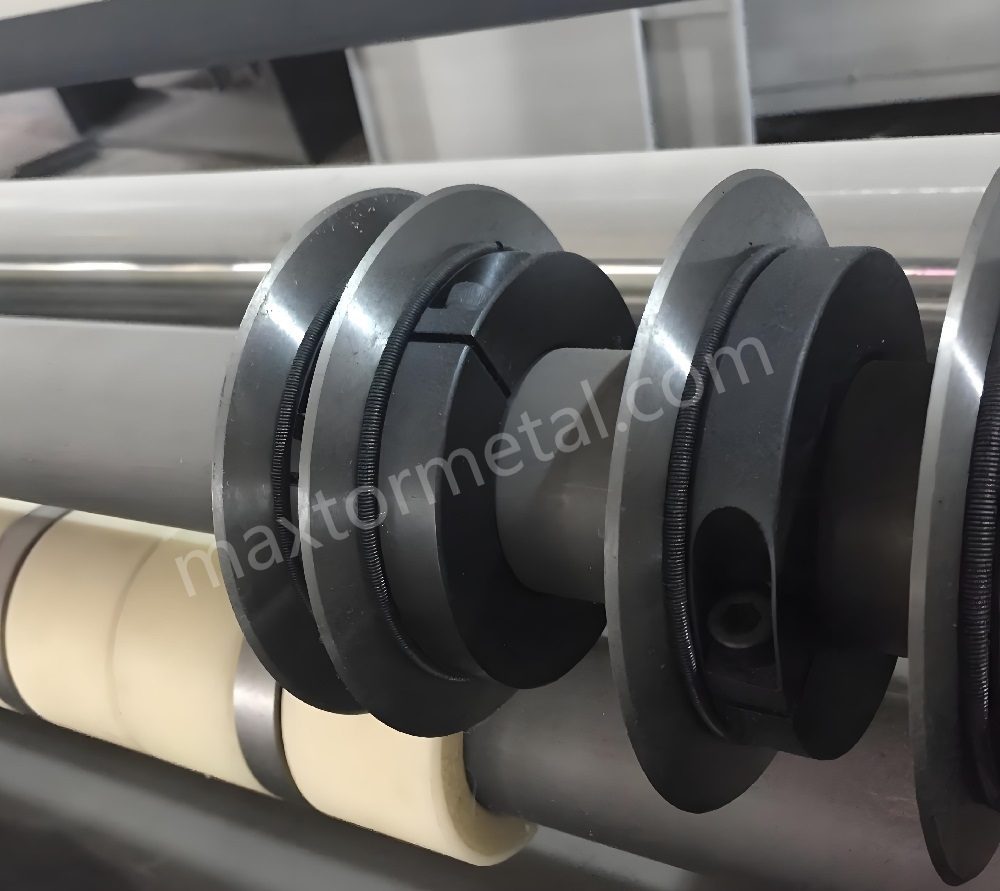
You need to get ready before using a rotary slitter blade for paper. Make sure your machine and paper are set up right. This helps you avoid rough edges and wasted paper. It also stops the machine from breaking down.
If you want clean cuts, you must align the paper and set the machine. Skipping these steps can make the paper look bad. You might get more scraps or even wrinkled and torn sheets. When everything is lined up, you work faster and save money.
Alignment Techniques
Guides and Sensors
Guides help keep the paper straight as it moves. Sensors check if the paper is in the right spot. If something is wrong, sensors let you know. Some machines use lasers to show where the paper and blades meet. This helps you fix problems quickly.
- Guides stop the paper from moving sideways.
- Sensors find mistakes early.
- Lasers help you see if things line up.
- Good alignment keeps the paper straight and saves time.
Preventing Skew
Paper skew means the sheet moves at an angle. This can mess up your cuts and waste paper. Check the spindle to make sure it is straight. Make small changes before you start cutting. Always feed the paper evenly into the machine.
Dica: Check the paper and machine every time you change the roll. Even small changes can cause big problems if you do not notice them.
Calibration Steps
Blade Position
Set the rotary slitter blade for paper at the right height and angle. Follow these steps for good results:
- Move the knife bed by hand to set the depth. Try to cut 0.5 to 1 mm deep.
- If only one end of the blade touches, fix the shaft behind the frame.
- Put the machine in tool-change mode before making changes.
- Do not move the machine by mistake while working.
- Check the blade again before you start cutting.
Roll Diameter
The size of the paper roll changes how the machine feeds paper. Always measure the roll before you load it. Set the machine for each new roll. If the roll is too big or small, you might get bad cuts or jams.
- Measure the roll before putting it in.
- Change the machine settings for each roll.
- Watch the roll as it gets smaller while you use it.
Safety Checks
Check everything for safety before you start cutting. This keeps you safe and helps your rotary slitter blade for paper last longer.
Guards and Shields
Guards and shields cover sharp and moving parts. Make sure all guards are on before you start. Never take off safety covers when the machine is running.
Emergency Stops
Every rotary slitter machine has emergency stop buttons. Know where they are and test them before you start. If something goes wrong, you can stop the machine fast.
| Safety Check | Descrição |
|---|---|
| Equipamentos de Proteção Individual | Wear safety glasses and gloves that protect from cuts. |
| Proper Training | Learn how to use all machine parts and safety tools. |
| Inspeção da lâmina | Check the blade for damage or wear before using it. |
| Secure Work Area | Keep your work area clean and free of mess. |
| Controlled Pressure | Use steady pressure to stop accidents and bad cuts. |
| Avoid Contact with Blade | Keep hands away from the blade and wait for it to stop before touching. |
| Manutenção regular | Sharpen the blade and check safety parts on a schedule. |
Observação: Checking your machine often helps you find problems early. This keeps your cuts neat and your team safe.
When you follow these steps, your rotary slitter blade for paper works better. Good setup and alignment make every cut cleaner and safer.
Configuração de Precisão para Lâminas de Corte Longitudinal Rotativas
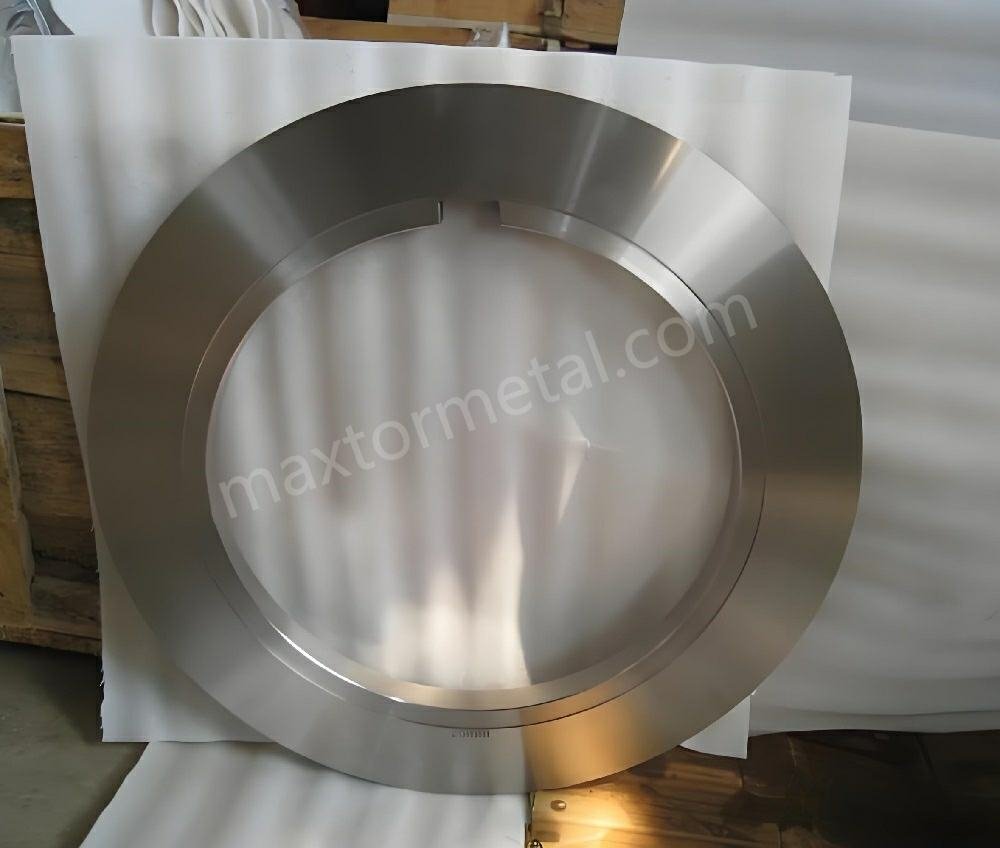
Getting the best results with rotary slitter blades starts with careful setup. You need to adjust blade pressure, cutting speed, and tension for each job. Regular inspection and alignment help you keep your cuts clean and your equipment running well.
Blade Pressure
Setting the right blade pressure is key for neat, smooth cuts. If you use too much or too little pressure, you can damage the paper or the blade.
Clean Edges
You want clean edges on every sheet. Use just enough pressure so the blade slices through the paper without crushing it. A well-chosen edge radius helps spread the cutting force evenly. This reduces the chance of the blade failing early. A slightly rounded edge radius also helps you get cleaner cuts by lowering the risk of tearing or bending the paper.
- Use the right amount of pressure for the paper type.
- Choose an edge radius that matches your cutting needs.
- Check the cut edge for signs of tearing or roughness.
Avoid Over-Compression
Too much pressure can cause problems. Over-compression can flatten the paper, make the edges rough, and wear out the blade faster. It can also stress the machine. You should always check the pressure setting before starting a new job.
- Start with a lower pressure and increase slowly if needed.
- Watch for signs of crushed or fuzzy edges.
- Adjust pressure if you see any damage to the paper or blade.
Dica: Adjusting cutting speed, pressure, and feed rate for each material helps your blades last longer. Proper pressure keeps the edge sharp and the cuts smooth.
Velocidade de corte
The speed of your rotary slitter blades affects both the quality of the cut and the life of the blade. You need to find the right balance for each type of paper.
Speed vs. Quality
Cutting too fast can make the blade heat up and wear out quickly. It can also cause rough edges or even burn marks on the paper. Slower speeds give you more control and cleaner cuts, especially with tough or coated papers.
- Lower speeds reduce heat and blade wear.
- Higher speeds work for simple jobs with standard paper.
- Always match speed to the paper and the blade type.
Paper Grades
Different papers need different speeds. Thin or soft papers can handle faster speeds. Thick, coated, or specialty papers need slower speeds to avoid tearing or rough edges.
| Paper Type | Suggested Speed | Notas |
|---|---|---|
| Papel Fino | Mais alto | Less risk of tearing |
| Papel revestido | Mais baixo | Reduces heat and edge wear |
| Papel Especial | Lower to Moderate | Prevents defects and keeps edges neat |
Adjusting speed for each paper grade helps you get the best results and extends the life of your sharp blades.
Controle de Tensão
Tension control keeps the paper tight and flat as it moves through the machine. Good tension helps you avoid defects and get smooth, even cuts.
Tension Systems
Tension systems use rollers and brakes to keep the paper web steady. If the tension is too loose, the paper can wrinkle or shift. If it is too tight, the paper can stretch or tear.
- Set the tension so the paper stays flat but does not stretch.
- Check the tension system before each run.
- Adjust as needed for each roll or paper type.
Qualidade de ponta
Proper tension control is essential for high-quality edges. When you manage tension well, you prevent problems like wavy or shaggy edges and edge curl. Keeping the web tight at the cutting station lets the blade make clean contact with the paper.
Effective tension control helps you avoid wrinkles and uneven cuts. If you see edge curl, try reducing the web tension or adjusting the slitter settings.
Regular inspection and adjustment of blade alignment, pressure, speed, and tension help you get the most from your rotary slitter blades. You will see fewer defects, less waste, and better-looking paper every time.
Técnicas de Corte Rotativo para Resultados Impecáveis
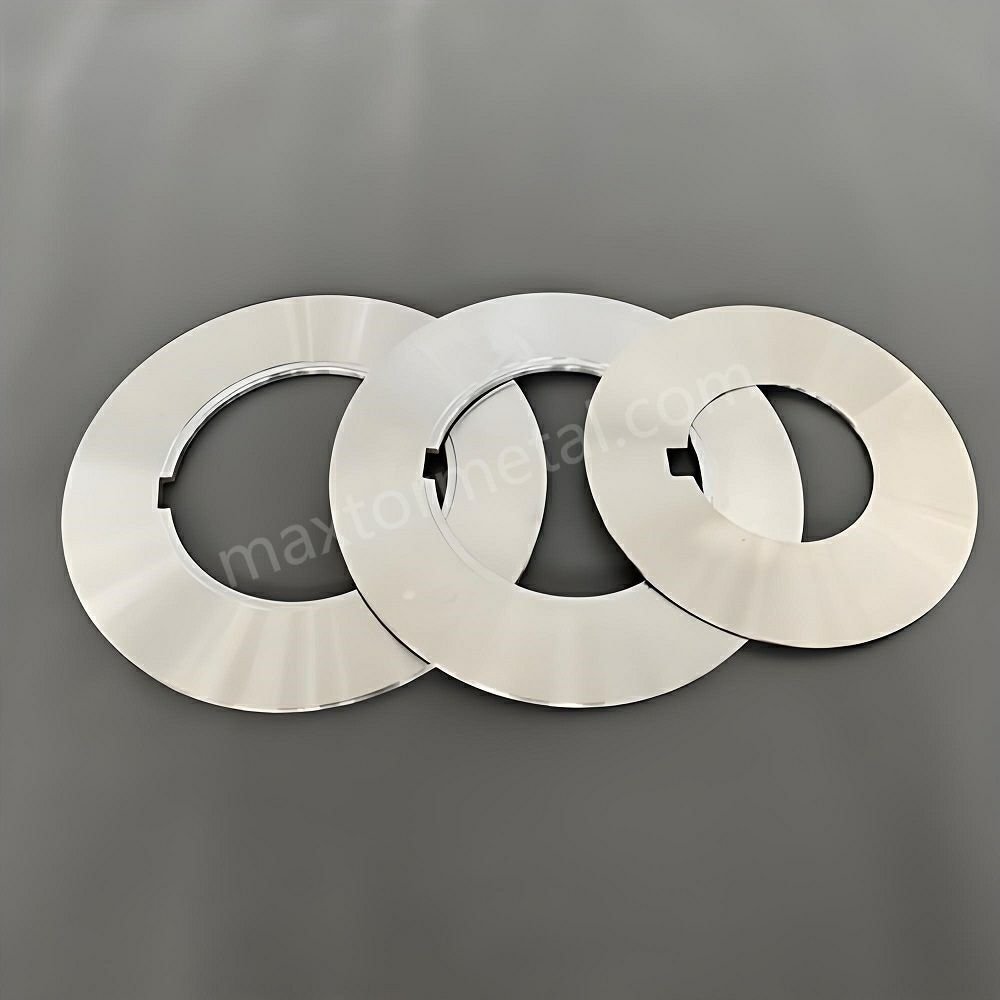
You want every sheet of paper to look perfect after cutting. The rotary cutter helps you reach this goal. To get flawless results, you need to feed the paper correctly, monitor the operation, and handle each paper grade with care. Using the right rotary cutter technique makes your work easier and your cuts cleaner.
Métodos de alimentação
How you feed paper into the rotary cutter changes the quality of your cuts. You can use manual feeding or automatic feeding. Each method has its own steps and best practices.
Manual Feeding
Manual feeding gives you control over each sheet. You place the paper by hand and guide it through the rotary cutter. This method works well for small jobs or when you need to cut special sizes.
- Align each stack of paper before you start. Tap the edges against the guide to keep them straight.
- Hold the paper firmly but do not press too hard. Let the rotary cutter do the work.
- Feed only a few sheets at a time. For thin paper, you can cut more sheets. For thick or specialty paper, cut fewer sheets to avoid shifting.
- Always keep your hands away from the blade. Wait for the rotary cutter to stop before removing cut pieces.
Dica: Use a rotary cutter that matches the size of your paper. A blade that is too small can leave rough edges. A blade that is too large can be hard to control.
Automatic Feeding
Automatic feeding uses a machine to move the paper through the rotary cutter. This method works best for large jobs and high-speed production.
- Set the guides and sensors before starting. These tools keep the paper straight as it moves.
- Check the paper stack for alignment. Misaligned stacks can cause jams or uneven cuts.
- Watch the feed rate. If the rotary cutter moves too fast, you may see rough edges or missed cuts.
- Use the right rotary cutter for your paper type. Some machines let you adjust the blade pressure and speed for each job.
Observação: Designate certain rotary cutters for paper only. Using the same rotary cutter for other materials can dull the blade and lower cut quality.
Operation Monitoring
You need to watch the rotary cutter while it works. Monitoring helps you catch problems early and keep your cuts clean.
Quality Checks
Check the cut edges often. Look for signs of tearing, roughness, or uneven cuts. Use these tools and methods to help you spot issues:
- Accelerometers measure vibration and can detect if the blade chips.
- Vibration and acoustic sensors listen for changes in sound. These sensors can find cracks in the blade or spindle.
- Strain gauges measure the force needed to cut. If the force goes up, the blade may be dull.
- Temperature sensors can show if the blade is getting too hot, which may mean it is wearing out.
If you see any problems, stop the rotary cutter and check the blade. Replace or sharpen the blade if needed.
Parameter Adjustments
You can change the rotary cutter settings to fix problems. Adjust the blade pressure, speed, and tension as needed. Lower the speed for thicker or coated papers. Raise the pressure for heavy cardstock, but do not crush the paper. Change the tension to keep the paper flat and tight.
- Make small changes and check the results after each adjustment.
- Keep a log of your settings for each paper type. This helps you get the same results every time.
- If you use more than one rotary cutter, label each one for its job. This keeps your blades sharp and your cuts clean.
Dica: Regular monitoring and quick adjustments help you avoid waste and keep your rotary cutter running smoothly.
Paper Grades Handling
Different paper grades need different rotary cutter settings and handling. You must match your rotary cutter technique to the paper you use.
Papel Fino
Thin paper, like copy paper, cuts easily with a rotary cutter. Align the stack before clamping. You can cut more sheets at once, but do not overload the rotary cutter. If you see tearing, lower the blade pressure or slow down the feed.
Papel Especial
Specialty papers, such as photo paper, laminate, or poster board, need special care. Use the right rotary cutter and adjust your settings for each type.
| Paper Type | Técnica de corte |
|---|---|
| Copy paper (20 lb) | Align stacks; tap against the guide edge before clamping. |
| Cardstock (65-110 lb) | Use more blade pressure; cut no more than 3-4 sheets at once. |
| Photo paper | Cut with the coated side up to prevent coating delamination. |
| Laminate | Make several light passes to avoid cracking the plastic coating. |
| Poster board | Test a corner first; some may need a utility knife instead of a rotary trimmer. |
- For photo paper, always cut with the coated side facing up. This prevents the coating from peeling.
- For laminate, use several light passes with the rotary cutter. This stops the plastic from cracking.
- For poster board, test a small area first. Some boards are too thick for a rotary cutter and may need a different tool.
Observação: Always use a rotary cutter that fits your paper size and thickness. Using the right rotary cutter for each job keeps your cuts sharp and your blades in good shape.
You can achieve flawless results with your rotary cutter by following these steps. Feed the paper correctly, monitor the operation, and adjust your settings for each paper grade. Use the right rotary cutter for each job and keep your blades sharp. This technique will help you get perfect cuts every time.
Manutenção para Lâminas de Corte Longitudinal Rotativas

Taking care of your rotary slitter blades helps you get clean cuts. Good maintenance also makes your equipment last longer. It keeps your work running without problems. You should clean, sharpen, and check your blades often.
Limpeza
Agentes de limpeza
You need to use the right cleaning agents to keep blades safe. Pick a soft, lint-free cloth and a blade-safe degreaser. Do not use rough cleaners or metal scrapers. These can scratch the blade and make it cut worse. Clean the blades after every job. This stops dirt from building up and makes cleaning easier next time.
- Use a soft, lint-free cloth.
- Pick a blade-safe degreaser.
- Do not use rough cleaners or metal scrapers.
- Clean after every job.
Frequência
You should clean and check your rotary slitter blades often. The table below shows how often to do each job:
| Tarefa | Frequência | Notas |
|---|---|---|
| Limpeza de superfície | Diário | End of every shift |
| Inspeção visual | Diário | Focus on edges and chips |
| Verificação de montagem | Diário | The blade should not wiggle |
| Teste de nitidez | Semanalmente | Use actual material to test |
| Revisão de alinhamento | Semanalmente | Use a straight edge or a gauge |
| Limpeza da superfície de montagem | Semanalmente | Scrub and check for damage |
| Medição de espessura | Mensal | Use a caliper or a micrometer |
| Inspeção de rachaduras | Mensal | Use a flashlight or dye |
| Balanceamento | Mensal | Watch for machine vibration |
| Afiação completa | Conforme necessário | Based on performance, not time |
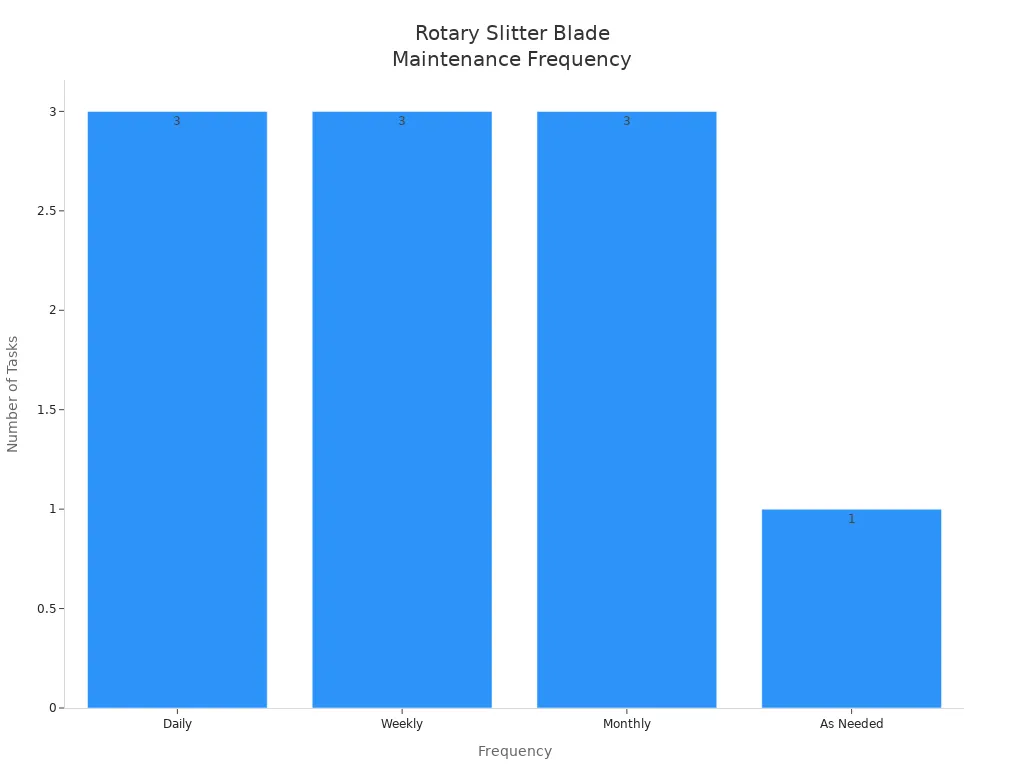
Sharpening & Replacement
Blade Wear Signs
You need to look for signs that your blade is wearing out. If you see bad cuts, more burrs, or extra shaking, it may be time to sharpen or change the blade. Normal wear is between 0 mm and 0.4 mm. Change the blade when wear gets to about 0.4 mm. Some machines have warning lights to tell you when the blade is too worn.
- Bad cut quality
- More burrs
- Extra shaking
- Flank wear (Vbmax) at 0.4 mm
Métodos de afiação
Sharpening your blades the right way helps them last longer. You can use coatings like titanium to make blades stronger. This can help blades last up to 35% longer in fast jobs. Clean, oil, and store blades the right way to stop rust and dullness. Cut slower for rough materials and use cooling systems to keep blades sharp.
Rotinas de Inspeção
Lista de verificação de manutenção
A good checklist helps your blades work well. Here are the main steps:
| Etapa de manutenção | Descrição |
|---|---|
| Limpeza | Remove dirt and residue after each use with a safe solvent. |
| Inspeção | Look for nicks, chips, or uneven wear every day. |
| Lubrificação | Use the right oil to stop rust and lower friction. |
| Documentação | Keep a log of blade use and care. |
- Check the blade’s condition on a set schedule.
- Clean after each use.
- Oil the blade to stop rust.
- Check blade alignment often.
Performance Documentation
Keep a log of all blade care jobs. Write down when you clean, sharpen, or change each blade. This helps you see patterns and plan future care. Good records also help with quality checks and meeting rules.
If you follow these steps, your rotary slitter blades stay in great shape. Regular care means better cuts, less waiting, and longer blade life.
Resolução de Problemas em Lâminas de Corte Longitudinal Rotativas

When you use a rotary slitter blade for paper, problems can happen. You might see rough edges, misalignment, or blade wear. If you know how to spot and fix these, your cuts stay clean. Your machine will also work better.
Bordas ásperas
Causas
Rough edges make your paper look messy. Many things can cause this:
- Blade wear makes the edge dull and tears the paper.
- Using the wrong blade for your paper type gives bad cuts.
- Web tension that is not right lets the paper move too much.
- Machine alignment problems change the cutting angle and cause defects.
Soluções
You can fix rough edges with these steps:
- Replace or sharpen your rotary slitter blade for paper if it is dull.
- Pick the right blade shape for each paper type.
- Adjust web tension so the paper stays flat and does not move.
- Check and fix machine alignment before every job.
Dica: Check your machine often and make quick fixes. This helps stop rough edges and keeps your work smooth.
Desalinhamento
Ferramentas
You need the right tools and steps to fix misalignment with your rotary slitter blade for paper.
| Tool/Technique | Descrição |
|---|---|
| Alignment Gauge | Checks if the blade is in the right spot. |
| Blade Holder Adjustments | Makes sure all blades line up together. |
| Inspeções regulares | Finds misalignment problems early. |
| Recalibration of Depth Settings | Uses a test sheet to set the right depth. |
| Tightening Screws and Fasteners | Stops loose blades from shaking. |
Treinamento
Good training helps you and your team avoid misalignment. You can use these programs and resources:
- Blade alignment training shows you how to check and move blades.
- Operation training lets you practice loading and watching the machine.
- Maintenance training teaches you to clean and oil your machine.
- Troubleshooting training helps you find and fix problems.
- Online learning keeps your skills up to date.
Observação: Well-trained workers make fewer mistakes. This keeps your rotary slitter blade for paper working well.
Desgaste da lâmina
Detection
Check your rotary slitter blade for paper often to find wear early. Look for these signs:
- Check doctor and scraper blades for wear marks.
- Watch for bad cuts, like more burrs or rough edges.
- See if the blade tip has chips or cracks.
- Use a gauge to measure wear at the blade tip.
- Notice if cut quality drops after long jobs.
Substituição
If you see wear, change your rotary slitter blade for paper to keep cuts sharp. You can:
- Use coated blades to make them last longer and save time.
- Try advanced materials like tungsten carbide for more life.
- Check your cutting needs and machine settings to pick the best blade.
Keeping your rotary slitter blade for paper in good shape gives you better cuts, less waste, and smoother work.
You can get perfect cuts with a rotary slitter blade for paper if you follow some important steps.
- Pick the best blade material and type for your paper.
- Make sure your machine is set up right and lined up well.
- Change the blade pressure and speed for each job you do.
- Clean and sharpen your blades often so the edges stay smooth.
- Watch your work and fix any problems as soon as you see them.
Checking your machine often helps you find problems before they mess up your cuts. If you need help or want special blades, contact Nanjing Metal Industrial. 🛠️
Perguntas frequentes
What is a rotary slitter blade for paper?
A rotary slitter blade for paper is a circular cutting tool. You use it in machines to slice wide rolls of paper into smaller sheets or strips. It helps you get clean, straight edges.
How often should you replace rotary slitter blades for paper?
You should check the blade after every job. Replace it when you see dull edges, rough cuts, or chips. Most users change blades after 0.4 mm of wear.
Which blade material works best for coated paper?
Tungsten carbide blades work best for coated paper. You get sharp cuts and long blade life. These blades resist wear from rough coatings.
How do you clean rotary slitter blades for paper?
Use a soft, lint-free cloth and a blade-safe degreaser. Clean after each shift. Avoid rough cleaners or metal scrapers to protect the blade edge.
What causes rough edges when cutting paper?
Dull blades, wrong blade type, poor tension, or misalignment cause rough edges. You can fix this by sharpening the blade, adjusting tension, or checking alignment.
Can you customize rotary slitter blades for special paper types?
Yes, you can order custom blades for special paper types. Nanjing Metal Industrial offers custom blade solutions to match your needs.
How do you keep paper aligned during cutting?
Use guides, sensors, and regular checks. You should set up the machine before each job. Proper alignment helps you avoid skewed or uneven cuts.
Is it safe to change rotary slitter blades for paper yourself?
You can change blades safely if you follow safety steps. Wear gloves, use guards, and turn off the machine first. Always check the emergency stop button before starting.
Veja também
Como escolher as lâminas de corte circulares certas para um desempenho duradouro
O guia definitivo para escolher uma lâmina de corte de borracha
Como maximizar a nitidez da lâmina de corte para um desempenho de corte superior

 English
  Spanish
  Italian
  French
  Portuguese
  Russian
  German
  Arabic
  Hindi
Hindi  Vietnamese
  Indonesian
  Japanese
  Korean
Uma resposta